Build a server players remember.
Premium Minecraft schematics, themed bundles, our own free Mythical Shaders and custom server development from Mythical Network. Made for owners who care how their world looks, feels and performs.
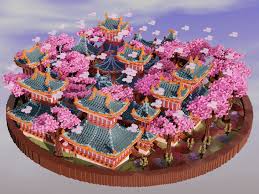
Start with what your server needs next.
Four categories, one store. Pick a build, save with a bundle, or have us make something only you will have.

Bundles: more build for less.
Themed packs that fit together, so your whole server looks like one world.
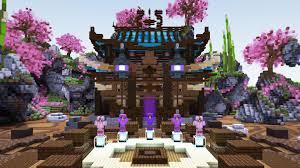
Server Starter Pack
Everything to open a server with a strong first impression.
- Spawn build
- Lobby hub
- Starter town
Kingdom Collection
Castles, villages and dungeons for survival and roleplay.
- Castle and fortress
- Medieval village
- Dungeon
Bundle contents shown are examples. Check each bundle page in the store for the exact files included.
Custom Dev: your server, built your way.
We start with a conversation. You tell us your server type, your theme and what you want players to experience, and we turn that into a clear plan with scope, timeline and price before any work begins.
Our team then builds in stages: layout and builds first, then plugins and configuration, then a full test on a staging server. You see progress along the way, can ask for changes, and receive everything ready to install, with help getting it live. Custom builds, plugins, rank systems and complete server setups are all handled the same way.
Fill in the form and select ideas to prepare your message.
What are we building?
Pick any ideas below to add them to your project brief. Your selections carry into the brief form, ready to copy and discuss with the team.
Worlds & builds 01–10
Plugins & gameplay 11–20
Ranks & community 21–30
Server setup & reliability 31–40
Store & launch experience 41–50
Built for server owners.
Paste-ready builds
Place schematics on a live server without rebuilding first.
Instant delivery
Download as soon as checkout completes.
Secure checkout
Payments run through the connected Tebex storefront.
Bundle savings
Matching packs so your whole server shares one style.
Custom commissions
Plugins, configurations and server setup on request.
Direct support
Reach the team on Discord with questions or feedback.
Install a schematic in minutes.
Three steps from download to finished build.
Download your file
After checkout, open your delivery from the Tebex confirmation. You get the schematic file, usually a .schem file.
Check each product page for the file format and supported Minecraft versions.
Add it to your server
Upload the file to your schematics folder, then restart or reload WorldEdit.
plugins/WorldEdit/schematics/Using FAWE? Use plugins/FastAsyncWorldEdit/schematics/
Paste it in game
Load the schematic, stand where you want it, then paste.
//schem load your_build//pasteAdd -a to skip air blocks, or //rotate 90 before pasting.
About Mythical Network
Mythical Network is a Minecraft community and creative studio founded by Chethan. Mythical Studios is its store: the place where our builds, bundles, ranks and development work are shared with other server owners.
We make resources we would want on our own servers: clean, ready to use and carefully finished.
Every build is checked before it is listed.
Made for live servers, not screenshots.
Built with feedback from real server owners.
If it is not in the vault, we can make it.
Meet the team.
Select a card to read more about each person.
Questions, answered.
What do I get when I buy a schematic?
A digital file delivered through the store, ready to use on your Minecraft server.
How do I install it?
Upload it to your WorldEdit schematics folder, then use //schem load and //paste. See the install guide above.
What is in a bundle?
A themed set of builds sold together. Each bundle page lists its exact contents.
How does Custom Dev work?
We agree scope and price on Discord, build in stages, test, and deliver install-ready files.
Is checkout secure?
Yes. Purchases go through the connected Tebex storefront.
Where do I get support?
Join the Mythical Discord and message the team.
Your server deserves more than default.
Start with a resource from the vault, or tell us what you want made.